eSIMify

Best eSIM for Croatia

Cheapest Croatia eSIM plans — instant QR delivery, high-speed data, no roaming fees.

14 standard plans

How long are you away?

Destination guide

Why use an eSIM in Croatia?

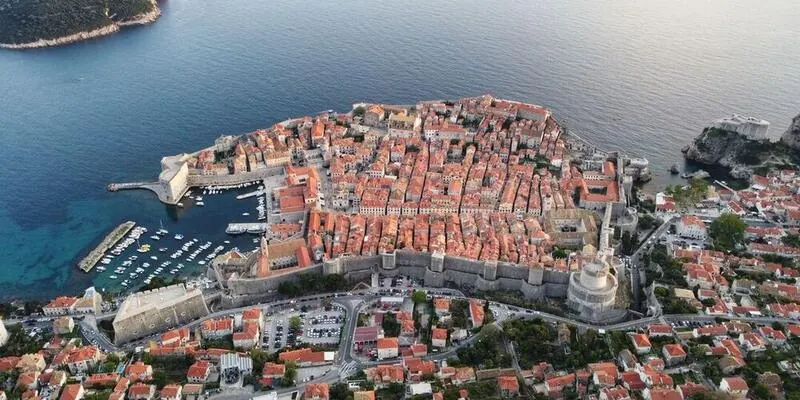
The Croatian coast is a logistics puzzle, and the phone is how you solve it. A summer trip means Jadrolinija ferry times to Hvar or Korčula that shift with the wind, apartment hosts who send door codes by message an hour before you arrive, restaurant tables in Dubrovnik's old town booked the same afternoon, and a hire car being navigated down the Adriatic Highway. Local SIMs are sold at Split (SPU) and Dubrovnik (DBV) airports, but both are small terminals in high season and the queues form fast. A travel eSIM installed at home is working before you reach the airport bus, and your home number keeps taking the calls from the apartment owner.
Best Croatia eSIM for tourists: what to look for

Croatia trips run a week to a fortnight and lean coastal, which means high map use, a lot of photographs and ferry apps checked several times a day — size the plan generously rather than minimally. Hrvatski Telekom, A1 and Telemach all run 5G in Zagreb, Split and along the busier coast, so a 5G-capable plan is worth taking, though 4G is what serves the islands. Hotspot deserves a check on the plan card, since apartment Wi-Fi on the islands is often overloaded in August. You will not need a Croatian number; Uber and Bolt operate in Zagreb, Split and Dubrovnik with your existing number. If you are also driving into Bosnia or Montenegro, note that a Croatia plan stops at the border — the Europe regional plan is the tidier answer, though it may not include every neighbour. Check your handset on the device page.

Networks and coverage: where your eSIM works

Croatia's networks are Hrvatski Telekom, A1 Hrvatska and Telemach, and your eSIM connects to a partner and takes the strongest available signal. Coverage along the coast, on the A1 motorway and across the inhabited islands is good, and the ferry routes between Split, Hvar and Korčula largely stay in range. It weakens inland in the Velebit and Dinara ranges, on the emptier parts of the Istrian interior and in the Plitvice canyons. Note that the coastal road towards Dubrovnik now runs over the Pelješac Bridge, so you no longer lose the network crossing Bosnian territory at Neum.

  • Dubrovnik — strong in the old town and up at Srđ.
  • Split — reliable across Diocletian's Palace and the ferry port.
  • Zagreb — the most consistent coverage in the country.
  • Hvar, Brač and Korčula — good in the towns, thinner on the interior roads.

Croatia eSIM vs local SIM vs roaming

Travel eSIM (eSIMify)Local SIMHome-carrier roaming
Installed at home; live before you leave SPU or DBVA queue at a small airport counter in peak seasonActive on arrival if your pack is on
Paid once for your travel daysSummer tourist bundles are decent value but monthly in shapeExpensive unless you already roam free in the EU
Home number keeps taking host and hire-car callsHome SIM out on a single-SIM phoneHome number unaffected
Data only, no Croatian numberCroatian number includedNo local number
Takes the best partner signal, useful on the islandsOne operator, and island coverage differs between themYour carrier's Croatian partner
Nothing to show or registerPhoto ID normally requested at the counterNot applicable
Island-hopping and coastal drivesSeason workers and long staysEU travellers on a roam-free plan

If your home plan roams free across the EU, use it. If it does not, the eSIM beats a peak-season airport queue and matches a two-week trip better than a monthly bundle. Whichever you pick, remember the plan stops at the Montenegrin and Bosnian borders if you drive south.

How to activate your Croatia eSIM

  1. Choose your plan above and pay; the QR code and install link arrive by email in minutes.
  2. iPhone on iOS 17.4 or later: tap the install link. Otherwise open Settings › Mobile Data › Add eSIM and scan the QR code.
  3. Android: Settings › Connections or Network › SIM manager › Add eSIM › scan the QR.
  4. Name the line Croatia so you can switch it confidently.
  5. Turn on Data Roaming for the eSIM and switch mobile data off on your home SIM.
  6. After landing, set the eSIM as your data line. It normally registers in the terminal at Split or Dubrovnik, in time to check the ferry schedule before the bus into town.
  7. The validity period starts at that first Croatian connection.

When should I install my Croatia eSIM?

Install it on Wi-Fi at home a few days before you travel and keep the line switched off until you land. The countdown starts at the first Croatian connection. If you are driving in from Slovenia or Hungary, or arriving by ferry from Italy, wait until you are inside Croatia before enabling it so the plan does not open early on a neighbour's network.

Last verified 5 Sep 2026 · by eSIMify Editorial Team

Croatia eSIM by city

Travel connected

Why choose eSIMify for Croatia?

Instant activation

Connect the moment you land — no airport SIM kiosk.

Premium coverage

Auto-connect to the strongest local 5G/4G networks.

No roaming fees

Pay local prices — no surprise bills back home.

How it works

  1. 1

    Check compatibility

    Make sure your phone is eSIM-compatible and carrier-unlocked.

  2. 2

    Buy & receive

    Choose your plan and get a QR code by email instantly after payment.

  3. 3

    Scan & connect

    Scan the QR code in your phone settings and activate your data in seconds.

Activate your eSIM

Frequently asked questions

For most of the crossing, yes. The Jadrolinija routes between Split and the nearer islands stay within reach of coastal masts, though signal can drop mid-channel. Check ferry times before boarding rather than relying on data at sea.

Selected 1 GB · 3 days