
eSIMify

Best eSIM for Nepal

Cheapest Nepal eSIM plans — instant QR delivery, high-speed data, no roaming fees.

13 standard plans

How long are you away?

Destination guide

Why use an eSIM in Nepal?

A Nepal trip is usually two trips stitched together: a few days of temples, Thamel traffic and agency offices in Kathmandu, then a flight or a long bus ride towards the mountains. Both halves run on data. You will be tracking the Kathmandu-Pokhara hop, messaging a trekking agency, turning a Pashupatinath or Lumbini plan into a taxi ride, and sending photographs home every evening.

Buying a Nepali SIM is possible but slow. Counters want your passport, a photocopy and a passport photograph, and the queue at Tribhuvan International Airport (KTM) builds behind the same arrivals rush you have just cleared. A roaming pack from your home carrier is the other extreme: quick to switch on, charged by the day whether you use it or not. A travel eSIM sits between the two. You install it at home, it is live the moment you land, and there is no paperwork to do with a rucksack on your back.
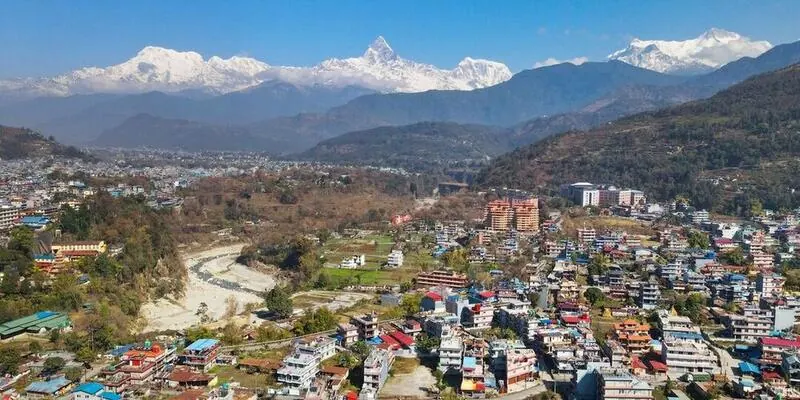
Best Nepal eSIM for tourists: what to look for

Plan length matters more in Nepal than plan size. A Kathmandu-Pokhara-Chitwan loop runs about a week; an Annapurna or Everest-region trek pushes the same trip past a fortnight. The plans above run from a single day up to a month, so choose the window that covers your slowest bus day, not the itinerary on paper.

Data use splits the same way. City days are heavy: ride bookings, menus, uploading photographs on hotel Wi-Fi that gives up halfway. Trek days are light, because you will be out of signal for hours at a stretch and mostly reading offline maps you downloaded in Pokhara. Pull down map tiles, permit copies and your insurance documents while you still have a solid connection in the valley.

If Nepal is one leg of a longer run through India, Bhutan or Thailand, compare the single-country plan against the wider Asia regional plan before you buy. Hotspot support is worth checking on the plan card if you are trekking as a group and only one person needs to carry the data. You do not need a Nepali number for anything a visitor does here, since guides, lodges and agencies all work over WhatsApp. Check your handset on the device compatibility list first, and remember you can buy a second plan mid-trip if the trek runs long; it queues behind the first.

Networks and coverage: where your eSIM works

Two operators carry almost all of Nepal's mobile traffic: Nepal Telecom and Ncell. Between them, 4G reaches the Kathmandu Valley, Pokhara, the Terai highway towns and most district headquarters, and that is the network your eSIM will find and hold. Plan around 4G rather than anything faster.

Geography decides the rest. Signal follows valley floors, settlements and the roads between them, so a bus on the Prithvi Highway stays connected far better than the ridge above it. On the Annapurna and Everest trails you get patches: a bar or two in a village with a tower, nothing on the climb in between. High passes, side valleys and the forest interiors of Chitwan and Bardiya are simply dead ground. Flights into Lukla and Jomsom drop you at the start of a walk with no coverage for the first hours, so download offline maps before you leave the tarmac.

  • Kathmandu - dense 4G across the valley, including Thamel, Patan and Bhaktapur.
  • Pokhara - steady in town and around Phewa Lake; thinner on the Sarangkot ridge road.
  • Chitwan (Sauraha) - fine in the village, patchy inside the park.
  • Lumbini - reliable around the monastic zone and the main gate.
  • Nagarkot and Dhulikhel - usable on the ridge, weaker on the trails below.
  • Namche Bazaar and Manang - village signal only; assume nothing between settlements.

Nepal eSIM vs local SIM vs roaming

Travel eSIM (eSIMify)Local SIMHome-carrier roaming
Installed on Wi-Fi at home; connects itself on landing at TribhuvanCounter queue at the airport or a Thamel shop, with form-fillingSwitched on in your account, nothing to collect
One prepaid plan for the trip length you chooseCheapest data in the country once you have itDay-rate packs that bill on days you barely use
Home number stays live for calls and OTPsHome number stays in the phone if it is dual-SIMHome number is the line you are using
No Nepali numberNepali number includedNo Nepali number
Automatically uses the strongest available networkLocked to whichever operator you chose at the counterRides on a partner network, sometimes the weaker one
No passport, no photograph, no registrationPassport, photocopy and passport photograph requiredNot applicable
Trekkers, pilgrims, short valley trips, familiesLong stays, volunteers, repeat visitorsOne-night stopovers

If you are in Nepal for a fortnight or less, the eSIM removes the only genuinely annoying part of arrival. If you are staying for months, a local SIM will win on cost and gives you a Nepali number for local errands. Roaming is worth it only when Kathmandu is a single overnight stop between two other countries.

How to activate your Nepal eSIM

  1. Buy a plan that covers your trekking days, not just your city days.
  2. Open the delivery email: it carries a QR code and, on iPhones running iOS 17.4 or later, a direct install link.
  3. Install at home on Wi-Fi. iPhone: Settings, Mobile Data, Add eSIM. Android: Settings, Connections, SIM manager, Add eSIM, then scan the QR.
  4. Label the line Nepal so you can pick it out at a glance.
  5. Turn on Data Roaming for the eSIM line and mobile data off on your home SIM, which stays active for calls and OTPs.
  6. After landing at Tribhuvan, select the eSIM as your data line; it usually attaches before the baggage hall.
  7. Validity starts at that first connection in Nepal, so download offline trail maps while the valley signal is strong.

When should I install my Nepal eSIM?

Install two or three days before you fly, at home on Wi-Fi, where a slow download or a device check costs you nothing. Leave the line switched off until you land. Because validity begins only when the eSIM first attaches to a network in Nepal, an early install cannot burn a day. If you are routing through Delhi or a Gulf hub, keep your data on the home SIM until Kathmandu, then switch over at the gate or after landing.

Travel tips for Nepal

Keep your Jio, Airtel or Vi SIM in the phone with data roaming switched off, so OTPs from Indian banks and airlines still land while the eSIM handles the internet. WhatsApp calling is not restricted in Nepal, so voice and video calls to India work normally over the eSIM. UPI is genuinely usable here: many Nepali merchants accept Indian UPI apps through Fonepay QR codes, though smaller trailside teashops still prefer cash, and it is worth carrying notes above Pokhara. Nepal runs 15 minutes ahead of Indian Standard Time, which catches out people booking domestic flights from Kathmandu. Sockets take the same round-pin plugs used in India, so your existing charger fits without an adapter, but power cuts in the hills make a power bank worth packing. Delhi, Kolkata and Varanasi all have direct flights to Kathmandu, and Indian and vegetarian food is easy to find in Thamel and around Boudha.

Last verified 5 Sep 2026 · by eSIMify Editorial Team

Nepal eSIM by city

Travel connected

Why choose eSIMify for Nepal?

Instant activation

Connect the moment you land — no airport SIM kiosk.

Premium coverage

Auto-connect to the strongest local 5G/4G networks.

No roaming fees

Pay local prices — no surprise bills back home.

How it works

  1. 1

    Check compatibility

    Make sure your phone is eSIM-compatible and carrier-unlocked.

  2. 2

    Buy & receive

    Choose your plan and get a QR code by email instantly after payment.

  3. 3

    Scan & connect

    Scan the QR code in your phone settings and activate your data in seconds.

Activate your eSIM

Frequently asked questions

It works wherever the Nepali networks reach, which means most trail villages with a tower and very little in between. Expect connection in places like Namche Bazaar or Manang and nothing on the passes. Download offline maps in Kathmandu or Pokhara before you start walking.

Selected 1 GB · 3 days